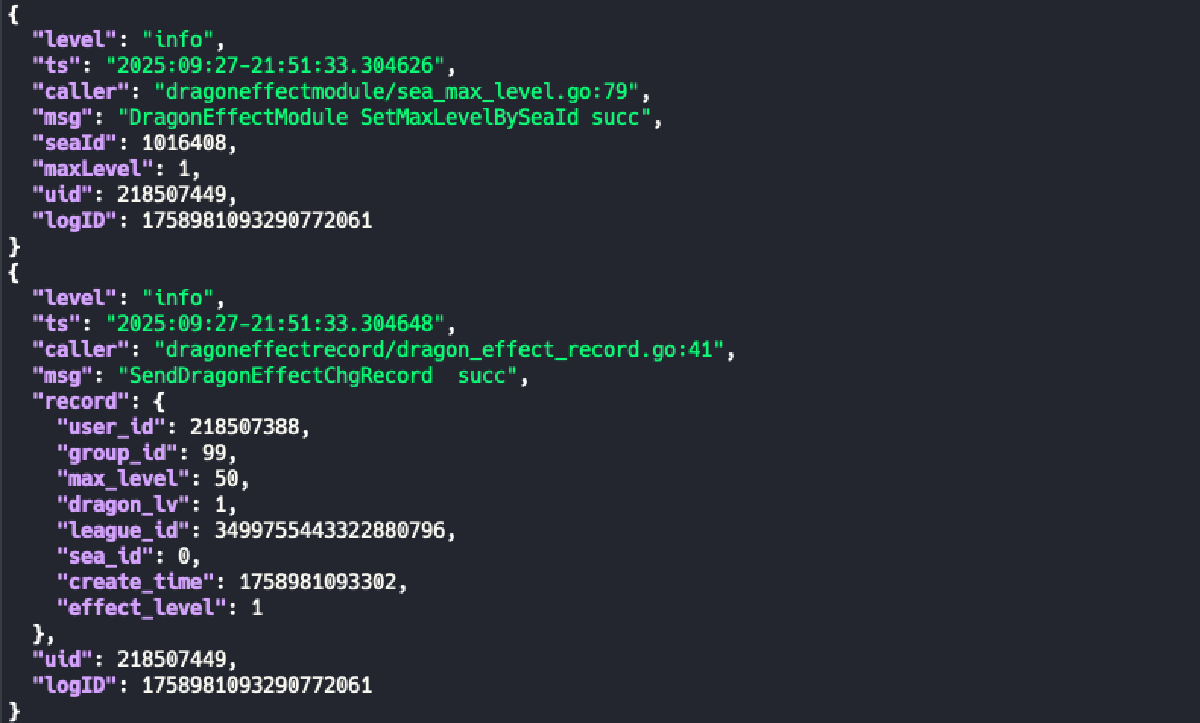
💡 Preface Efficient and elegant log querying is a required skill for backend engineers. This article details the usage of structured log (JSON) query tools and provides practical case analyses combining multiple tools.
We assume there are multiple log files in the current directory, all with .log suffix. Let’s start introducing log query commands.
🔍 Log Reading Commands#
cat Command#
cat is one of the most basic and commonly used commands in Linux/Unix systems, short for “concatenate”. It is mainly used to read, display, and merge file contents, and can also be used to create simple files. Here are its detailed usages:
- Read a single log file: Directly specify the filename to view the entire contents of the log file.
cat test.log- Read multiple specified log files: List multiple log filenames in sequence to view their contents at once (concatenated in input order).
cat test1.log test2.log- Read all .log files in current directory: Use wildcard
*to match all files ending with .log. Contents will be displayed in “numeric > uppercase > lowercase” character sorting order.
cat *.log- Read log files with specific prefix: Use “prefix + wildcard” combination to precisely match target files (e.g., match all log files starting with 20250928).
cat 20250928*.log- Merge multiple files into a new file: Use redirection symbol
>to merge contents of multiple files into a specified new file (Note:>will overwrite existing contents of the target file).
cat test1.log test2.log > merged.log- Append content to an existing file: To preserve existing contents of the target file, use redirection symbol
>>to append new content to the end of the target file.
cat file3.txt >> merged.txt # Append contents of file3.txt to merged.txt- Read from standard input (keyboard) and save to file: When no source file is specified,
catreads from keyboard by default. PressCtrl+dto end input and save (suitable for quickly creating short text files).
cat > newfile.txt # Press Ctrl+d after entering content to save- Read gzipped files: Use
zcatcommand to directly read gzipped files.
zcat test.log.gz| Option | Function Description |
|---|---|
-n | Display line numbers for all lines (including empty lines) |
-b | Display line numbers only for non-empty lines (ignore empty lines) |
-s | Compress consecutive empty lines into one (remove extra blank lines) |
-E | Display $ at end of each line (easy to distinguish line endings and spaces) |
-T | Display tab characters as ^I (easy to view hidden tabs) |
-v | Display non-printable characters (except newlines and tabs) |
For real-time log monitoring, you can use
tail -f commandFor very large log files, you can use
less commandfor pagination
cat is the most commonly used command in log querying. We can use pipes (|) to pass cat’s output to other tools for processing:
View file and search for keywords (combining with
grep):cat test.log | grep "ERROR" # Filter lines containing ERROR from test.logView file and sort (combining with
sort):cat test.log | sort -n # Sort file contents numerically
tail Command#
- View the end contents of test.log (displays last 10 lines by default)
tail test.log- Real-time tracking of updates to all log files in current directory, suitable for monitoring continuously written logs
tail -f *.log- Enhanced real-time tracking automatically follows new files when log files are rotated (e.g., archived by date)
tail -F *.logless Command#
Open file:
less test.log # View test.log with paginationCan also combine with pipes to receive output from other commands:
cat *.log | less  # View merged contents of all .log files with pagination
cat test.log | grep "error" | less  # View log lines containing error with pagination
Core operation shortcuts:
- Pagination:
Mouse wheel: Scroll up/down.- Space /
f: Scroll down one screen. b: Scroll up one screen.- Enter / Up/Down arrow keys: Scroll line by line.
- Navigation:
g: Jump to start of file.G: Jump to end of file.50g: Jump to line 50.
- Search:
/keyword: Search downward from current position (e.g.,/ERRORsearches for ERROR).?keyword: Search upward from current position.- Press
n: Jump to next match. - Press
N: Jump to previous match.
- Other:
q: Exit view.v: Open file in default editor at current position (convenient for editing).Ctrl+f: Scroll forward one screen (same as space).Ctrl+b: Scroll backward one screen (same asb).
- Pagination:
To preserve jq syntax highlighting in less, add -C parameter to jq and -R parameter to less Example:
cat test.log | jq -C | less -R
🎯 Log Filtering Commands#
jq and Common Functions#
Basic Value Extraction#
.: Get the entire JSON log object, used for formatted outputExample:
cat test.log | jq '.'(format and print logs)-cenables compact mode, displays logs in single lines.key: Extract value of specified field (e.g., timestamp, level in logs)Example:
cat test.log | jq '.level'(extract all log levels).array[index]: Get specified element of array-type field (e.g., tags[0] in logs)Example:
cat test.log | jq '.tags[1]'(extract second element of tags array).key1.key2: Nested value extraction (e.g., user.name in logs)Example:
cat test.log | jq '.request.url'(extract request URL)
Conditional Filtering#
select(condition): Filter log entries that meet the conditionExample:
cat test.log | jq 'select(.level == "ERROR")'(filter all error level logs)
has#
Function: Determine if an object contains the specified field (commonly used in logs to check if an attribute exists)
Usage:
select(has("fieldname"))Example 1: Filter error logs containing
stackTracefieldcat test.log | jq 'select(has("stackTrace") and .level == "ERROR")'Example 2: Exclude error logs containing
stackTracefieldcat test.log | jq 'select(has("stackTrace") == false)'
contains#
Function: Determine if an array/string contains specified element/substring
Usage:
select(.field | contains(target))Example 1 (string contains): Filter logs where
messagecontains “timeout”cat test.log | jq 'select(.message | contains("timeout"))'Example 2 (string contains): Exclude logs where
messagecontains “timeout”cat test.log | jq 'select(.message | contains("timeout") == false)'Example 3 (array contains): Filter logs where
tagsarray contains “payment”cat test.log | jq 'select(.tags | contains(["payment"]))'
index#
Function: Returns starting index of substring in string (returns
nullif not found), used for precise position judgmentUsage:
select(.field | index(substring) != null)Example: Filter logs where “error” appears at position 5 or later in
messagecat test.log | jq 'select(.message | index("error") >= 5)'
test (Regular Expression)#
Function: Determine if string matches regular expression
Usage:
select(.field | test(regular_expression))Example: Filter logs where first character of
nameis “李” (Chinese surname Li)cat test.log | jq 'select(.name | test("^李"))'
sort/uniq/group_by(array)#
sort_by(field): Sort logs by specified fieldExample: Sort logs by
timestampin ascending ordercat test.log | jq '.[] | sort_by(.timestamp)'unique: Array deduplication (commonly used to extract unique values)Example: Extract all unique
userIdscat test.log | jq '.[] | .userId' | jq -s 'unique'group_by(field)[]: Group by field (commonly used before statistics)Example: Group and count logs by
levelcat test.log | jq '.[] | group_by(.level)'
Multiple lines of independent JSON objects (not arrays)#
Function: Convert multiple lines of independent JSON objects (not arrays) into an array
Example: For non-array JSON, use -s and .[]
cat test.log | jq -s 'sort_by(.timestamp) | .[]'
length#
Function: Returns length of array or string
Usage:
cat test.log | jq '.[] | length'Get number of logscat test.log | jq '.message | length'Get character count of log messages
Rename Fields#
- Function: Rename fields to other names
- Usage:
# Example: Rename field "code" to "uid" and "cardnumber" to "ID"
cat test.log | jq 'with_entries(if .key == "code" then .key = "uid" elif .key == "cardnumber" then .key = "ID" else . end)'
📊 Log Statistical Analysis Commands#
sort/uniq#
- Function: Used together to sort and deduplicate arrays, commonly used for log data statistics
- Usage:
cat test.log | jq '.level' | sort | uniq
wc#
- Function: Count number of lines, words, and bytes in logs
- Usage:
cat test.log | wc -lGet number of log lines
awk#
awk is a powerful text processing tool, particularly suitable for log field extraction, conditional filtering, and statistical calculations. It processes text line by line and can split each line into fields based on delimiters.
Basic Syntax:
awk 'pattern {action}' file # pattern is filter condition, action is processing actionExtract fields by delimiter: Assume logs are space-separated, extract 1st and 3rd columns
cat test.log | awk '{print $1, $3}' # $1 represents 1st column, $3 represents 3rd columnSpecify delimiter: Use
-Fto specify delimiter (e.g., comma, colon, etc.)cat test.log | awk -F ',' '{print $2}' # Split by comma, extract 2nd columnConditional filtering: Only process lines that meet the conditions
cat test.log | awk '$3 > 100 {print $0}'  # Filter lines where 3rd column value > 100
cat test.log | awk '/ERROR/ {print $0}'   # Filter lines containing ERROR
Statistical counting: Use built-in variables
NR(line number) andNF(number of fields)cat test.log | awk 'END {print NR}' # Count total number of lines cat test.log | awk '{sum+=$3} END {print sum}' # Sum values in 3rd column and output totalFormatted output: Use
printfto customize output formatcat test.log | awk '{printf "Level: %s, Message: %s\n", $1, $2}'Multiple condition combinations: Combine logical operators (&&, ||, !)
cat test.log | awk '$1=="ERROR" && $3>50 {print $0}' # 1st column is ERROR and 3rd column > 50
Common Built-in Variables:
| Variable | Description |
|---|---|
$0 | Complete content of current line |
$1, $2, $n | 1st, 2nd, nth column of current line |
NR | Current line number being processed |
NF | Total number of fields in current line |
FS | Field separator (default is space) |
OFS | Output field separator |
💼 Practical Case Analysis#
Query Non-Info Logs#
Exclude some irrelevant logs using contains
cat test.log | jq 'select(.level!="info" and (.msg | contains("config") == false))'Query Logs for Specific User#
cat test.log | jq 'select(.uid == 123)'
cat test.log | jq 'select(.uid == 123 and (.message | contains("succ")))'
Count Error Logs#
cat test.log | jq 'select(.level=="error") | .request_id' | sort | uniq | wc -l